Tasks
Task lists with due dates and date-based sections. Check 'em off like harvesting potatoes — one satisfying spud at a time.
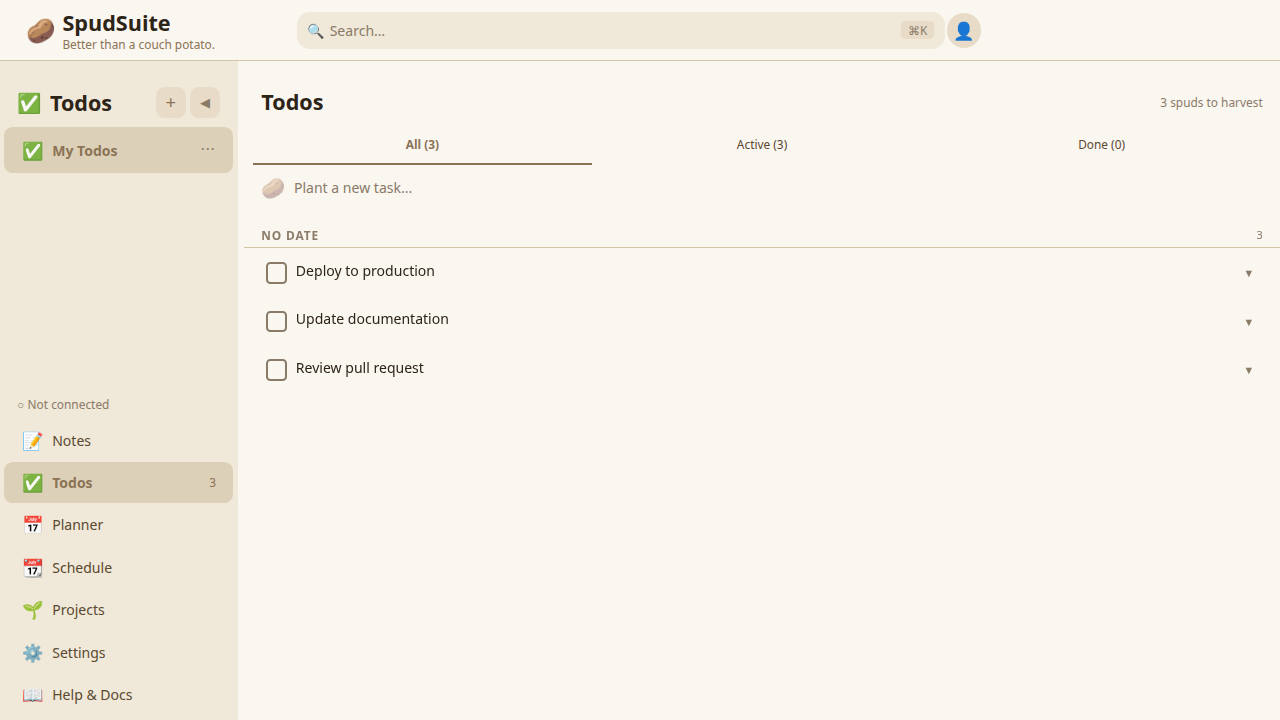
Creating Todos
- Click the Todos tab in the sidebar
- Select a todo list (or create a new one)
- Type your task in the input field
- Press Enter to add it
That's it. Simple as a boiled potato.
Completing Tasks
Click the checkbox next to any todo to mark it complete. Completed tasks get a strikethrough and move out of the way so you can focus on what's left.
Editing and Deleting
- Edit: Click on the todo text to edit it inline
- Delete: Hover over a task and click the trash icon, or swipe left on mobile
Due Dates
Add deadlines to your tasks:
- Click the calendar icon next to a todo
- Pick a date
Tasks with due dates show how many days are left. Overdue tasks are highlighted so they grab your attention.
Date Sections
Todos are automatically organized into sections by date, making it easy to see what needs your attention:
- Overdue — Tasks past their due date
- Today — Tasks due today
- Upcoming — Tasks due in the future
- No date — Tasks without a due date
This gives you a clear picture of your workload at a glance.
Todo Lists
Group related tasks into separate lists:
- Click + New List
- Name your list (e.g., "Shopping", "Work", "Weekend Projects")
- Add todos to specific lists
Switch between lists using the list selector. Each list has its own set of tasks and sections.
Recurring Tasks (Pro)
Pro users can create recurring tasks for habits and routines:
- Create a todo with a due date
- Click the repeat icon
- Choose a recurrence pattern: Daily, Weekly, Monthly, or Custom
When you complete a recurring task, SpudSuite automatically creates the next occurrence with the appropriate due date. Great for things like "Water the plants", "Weekly report", or "Monthly review".
Recurring tasks are available exclusively with SpudSuite Pro. Learn more about Pro.
Tips
- Use action verbs: "Buy groceries" not just "Groceries"
- Break big tasks into smaller ones
- Review and clear completed tasks regularly
- Set due dates to keep yourself accountable
- Use separate lists for different areas of your life (work, personal, errands)